Stopping a MongoDB Instance That Is Already Running

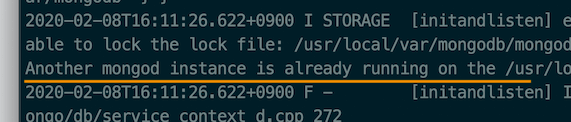
Sometimes, after a running MongoDB shuts down abnormally, the command to start MongoDB again may return the following error.
In this case, you can easily fix it by stopping the process on the port that the MongoDB instance uses.
Another mongod instance is already running on the 'xxx' directory,
# Stopping with the kill command
Pass the PID (Process ID) of the process to stop (with the TERM signal) to the kill command (with superuser privileges), like this.
1sudo kill -TERM <PID>
# Finding and stopping with the lsof command
If you don't know the PID,
you can search for it with the lsof command using the default MongoDB port number (27017), like this.
Use the -i option to specify the protocol (TCP) and the port (27017).
1sudo lsof -i TCP:27017
You can find the PID like this.

If you can't search by port number (you don't know the port number, or the search returns nothing),
add the -s option as follows to list entries whose TCP state is LISTEN, and then find the one whose COMMAND is mongod.
1sudo lsof -i TCP -s TCP:LISTEN
Again, you can find the PID of MongoDB like this.

Once you have found the PID, stop the process on the port like this.
1sudo kill -TERM 12020
Thanks for reading to the end.
Likes and kind comments help keep this blog going!