JS Function Core Patterns

In JavaScript, functions are called first-class objects, or first-class citizens.
This means you can use functions in ways such as assigning them to variables or passing them to other functions as arguments (values).
Starting from this concept, let's look at various patterns for using functions.
First, a first-class object must meet the following conditions.
- Assignment to a variable
- Passing as an argument
- Use as a return value
- Creation with a literal
- Use of members (properties or methods) at runtime
12345678910const a = new Function('cb', 'return cb') // Assignment, Return Value const b = function () { return 1 } // Literal const c = a(b) // Argument c.x = 'B' // set Member console.log(b.x) // get Member console.log(c()) // 'B' // 1
# Data and calls
A function is JavaScript data and, at the same time, a callable object that you can call with ().
Before you call it, it is function data, and after you call it, it is the data returned with the return keyword.
So when you use a function, you need to tell clearly whether it is plain function data or the data returned after calling it.
123456789function hello() { return 'Hello~' } console.log(hello) // ƒ hello() console.log(typeof hello) // 'function' console.log(hello()) // 'Hello~' console.log(typeof hello()) // 'string'
# Declarations and expressions
There are two main ways to create a function: declarations and expressions.
A function declaration is a named function created starting with the function keyword.
123function hello() { console.log('Hello~') }
A function expression is a function created by assigning it to something like a variable.
123const hello = function() { console.log('Hello~') }
In a function expression, the target you assign to has a name, so you usually use an anonymous function.
If you declare a named function and assign it to a variable at the same time, the declared name disappears.
123const exp = function dec() {} exp() // OK! dec() // Error: dec is not defined
# Hoisting
Function hoisting is when a function declaration is lifted to the top of its scope.
With hoisting, you can keep complex function logic from appearing first in your code.
12345678910const fruits = getFruits() // OK! const movies = getMovies() // Error: Cannot access 'getMovies' before initialization // ... function getFruits() { // Function body... } const getMovies = function() { // Function body... }
The code above is interpreted like this.
123456789101112// The declaration is lifted to the top function getFruits() { // Function body... } const fruits = getFruits() // OK! const movies = getMovies() // Error: Cannot access 'getMovies' before initialization // ... const getMovies = function() { // Function body... }
# Return and exit
When you call a function, the return keyword lets you send data from inside the function to the outside.
This is called returning data.
123456function hello() { return 'Hello~' } const h = hello() console.log(h) // 'Hello~' console.log(hello()) // 'Hello~'
The return keyword also ends the function.
So the statements below the return keyword do not run at all.
12345function hello() { return 'Hello~' // The function ends here! console.log('Wow!') // Does not run! } console.log(hello()) // 'Hello~'
If you do not use the return keyword or leave out the data to return, undefined is returned.
12345678910111213function hello1() { // } function hello2() { return } function hello3() { return undefined } console.log(hello1()) // undefined console.log(hello2()) // undefined console.log(hello3()) // undefined
# Parameter patterns
When you call a function, you can pass data from outside the function to inside it.
The variables that receive this data in order so it can be used inside the function are called parameters.
매개 (the first part of 매개변수, the Korean word for parameter) - means 'to connect two things that are apart' or 'to mediate'.
123456function sum(a, b) { return a + b } console.log(sum(2, 1)) // 3 console.log(sum(7, 4)) // 11 console.log(sum('A', 'B')) // 'AB'
# Default values
A parameter with a default value uses the default value instead when undefined is passed.
123456function sum(a, b = 1) { return a + b } console.log(sum(2)) // 3 console.log(sum(2, undefined)) // 3 console.log(sum()) // NaN <= undefined + 1
# Destructuring assignment
When you pass an object or an array as a parameter, you can extract specific members with destructuring assignment.
1234567891011121314151617181920const user = { name: 'HEROPY', age: 85 } // function getName(user) { // return user.name // } function getName({ name }) { return name } // function getEmail(user) { // return user.email || 'No email.' // } function getEmail({ email = 'No email.' }) { // Destructuring assignment + default value return email } console.log(getName(user)) // 'HEROPY' console.log(getEmail(user)) // 'No email.'
With arrow functions, you can write it much more concisely, like this.
12const getName = ({ name }) => name const getEmail = ({ email = 'No email.' }) => email
Like objects, arrays can also use destructuring assignment.
Unlike objects, arrays have no keys to match directly, so you have to extract parameters by order.
This approach is recommended for relatively simple structures or for extracting the first or second array item.
123456789101112131415161718const fruits = ['Apple', 'Banana', 'Cherry', 'Orange', 'Strawberry'] const numbers = [1, 2, 3, 4, 5, 6, 7] // function getSecond([a, b]) { // The a variable is not used, so you can leave it out! function getSecond([,b]) { return b } console.log(getSecond(fruits)) // 'Banana' console.log(getSecond(numbers)) // 2 // function getFifth([,,,,e]) { // return e // } function getFifth(items) { return items[4] } console.log(getFifth(fruits)) // 'Strawberry' console.log(getFifth(numbers)) // 5
# Rest parameters
With the spread operator, a parameter can receive all the arguments from its matching position onward as an array.
A parameter made this way is called a rest parameter.
It is easy to understand if you think of it as 'take all the rest'!
123456function sum(a, b, ...rest) { console.log(a, b, rest) // 1 2 [3, 4, 5, 6, 7, 8] return rest.reduce((acc, cur) => acc + cur, 0) } const res = sum(1, 2, 3, 4, 5, 6, 7, 8) console.log(res) // 33
Rest parameters are usually named rest, but you can use any other name.
123function sum(a, b, ...xyz) { // ... }
# arguments
arguments is a built-in object available inside every function, and it lets you refer to all the arguments passed into the function even without parameters.arguments is array-like, not an array, so you cannot use array methods on it, but it is an iterable object, so you can loop over it with a for statement.
1234567891011// const sum = (...rest) => rest.reduce((acc, cur) => acc + cur, 0) // Much more concise! function sum() { let res = 0 for (const item of arguments) { res += item } return res } const res = sum(1, 2, 3, 4, 5, 6, 7, 8) console.log(res) // 36
# Arrow functions
With arrow functions, you can write functions with simpler, more concise syntax than the regular functions we looked at earlier.
Arrow functions are anonymous functions and expressions by default.
If there is a
=>symbol, it is an arrow function; if not, it is a regular function.
1234567891011121314151617// Regular functions function hello() { return 'Hello~' } const sum = function(a, b) { return a + b } const log = function (c) { console.log(c) } // Arrow functions const hello = () => 'Hello~' const sum = (a, b) => a + b const log = c => { console.log(c) }
You can leave out the parentheses (()) only when there is exactly one parameter.
123const a = () => {} // With no parameters, you cannot leave them out. const b = x => {} // With one parameter, you can leave them out. const c = (x, y) => {} // With two or more parameters, you cannot leave them out.
You can leave out the curly braces ({}) only when you return data right away without any logic in between.
12345678910111213const a = x => { // With no logic in between, you can leave them out. return x * x } const b = x => x * x const c = x => { // With logic in between, you cannot leave them out. console.log(x * x) return x * x } const d = () => { return [1, 2, 3] } const e = () => [1, 2, 3] // When left out.
Object literals use curly braces, so in this case you need to wrap the object in parentheses.
12345const g = () => { return { a: 1 } } const h = () => ({ a: 1 }) const h = () => { a: 1 } // Error: Unexpected token ':'
In the following example, fnA and fnB in the object are regular functions, and fnC is an arrow function.fnA is the shorthand for a regular function method.
12345const obj = { fnA() {}, fnB: function () {}, fnC: () => {} }
# Immediately invoked functions (IIFE)
An immediately invoked function expression (IIFE), or 'immediately invoked function' for short, is syntax that runs (calls) a function right when it is defined.
You can use it for purposes such as preventing pollution of variables in the global scope or blocking access to internal variables from outside the function.
12345678910111213// Define the function (expression) const double = () => { // } // Run (call) the function double() // VS // Define and run the function (IIFE) ;(() => { // })()
There are various patterns for immediately invoked functions, but it is recommended to use only the basic pattern (;(fn)()) whenever possible.
Arrow functions can use only the basic pattern.
12345;(() => {})() // (arrowFunction)() ;(function () {})() // (regularFunction)() ;(function () {}()) // (regularFunction()) ;!function () {}() // !regularFunction() ;+function () {}() // +regularFunction()
Of course, you cannot access the internal variables of an immediately invoked function from outside.
12345678const a = 7 ;(() => { const b = 3 console.log(a, b) })() console.log(a, b) // Error: b is not defined
You can also use outside variables inside under different names.
This approach is sometimes used to make obfuscated code.
1234;((w, d) => { console.log(w.innerWidth) console.log(d.body) })(window, document)
Also, with an immediately invoked function, you can use the await keyword more easily without creating a separate named function.
12345;(async () => { const res = await fetch('https://jsonplaceholder.typicode.com/users') const json = await res.json() console.log(json) })()
# Callbacks
A callback function is a function used as an argument (value) of a target function.
It is useful because you can call the callback function at any point you want inside the target function.
In the following example, function b is used as an argument of function a.
Here, function b is called the callback function of function a, and you can also say, for short, 'the callback of a is b'.
1234567891011const a = callback => { console.log('A') callback() } const b = () => { console.log('B') } a(b) // 'A' // 'B'
When you call a callback function, you can pass arguments and use them as the callback function's parameters.
123456789function sum(a, b, callback) { // Runs after 1 second setTimeout(() => { callback(a + b) }, 1000) } sum(3, 7, function(value) { console.log(value) // 10 <= 3 + 7 })
Here is an image loading example that uses a callback.
It first shows the Loading... text, then loads the image, caches it in the browser, and shows the image instead of the text.
123<div class="container"> <h1>Loading...</h1> </div>
12345678910111213const loadImage = (url, cb) => { const imgEl = document.createElement('img') imgEl.src = url imgEl.addEventListener('load', () => { cb(imgEl) }) } const containerEl = document.querySelector('.container') loadImage('https://picsum.photos/2000/1000', imgEl => { containerEl.innerHTML = '' containerEl.append(imgEl) })
# Scheduling calls
With the timer functions provided by Web (Node) APIs, you can schedule function calls (that is, call a function once after a set time, or call it repeatedly at a set interval).
And when needed, you can also cancel (clear) each schedule (timer).
| Function | Description | Syntax |
|---|---|---|
setTimeout() |
Calls the callback once after a set time | const timerId = setTimeout(callback, time) |
clearTimeout() |
Cancels a setTimeout timer | clearTimeout(timerId) |
setInterval() |
Calls the callback repeatedly at a set interval | const timerId = setInterval(callback, time) |
clearInterval() |
Cancels a setInterval timer | clearInterval(timerId) |
1234567891011// Calls the callback once after 5 seconds. const timeout = setTimeout(() => { console.log('Hello~') }, 5000) // Cancels the timer when the button is clicked. const btnEl = document.querySelector('button') btnEl.addEventListener('click', () => { console.log('Clear Timeout!') clearTimeout(timeout) })
1234567891011// Calls the callback repeatedly every 2 seconds. const timeout = setInterval(() => { console.log('Hello~') }, 2000) // Cancels the timer when the button is clicked. const btnEl = document.querySelector('button') btnEl.addEventListener('click', () => { console.log('Clear Interval!') clearTimeout(timeout) })
# Recursion
Recursion is when a function calls itself again from inside itself.
You use recursion to implement repeated call patterns where you cannot know exactly when they will end.
재귀 (the Korean word for recursion) - means going back to where you started.
Here is an example that starts from userD and finds the topmost parent object.
123456789101112131415const userA = { name: 'A', parent: null } const userX = { name: 'X', parent: null } const userY = { name: 'Y', parent: userX } const userB = { name: 'B', parent: userA } const userC = { name: 'C', parent: userB } const userD = { name: 'D', parent: userC } const getRootUser = user => { if (user.parent) { // If the value of the parent property is truthy, call recursively return getRootUser(user.parent) } return user } console.log(getRootUser(userD)) // The userA object!
# Lexical scope
A function's lexical scope, also called static scope, is the range (scope) it can validly access from the place where the function is declared.
Simply put, you can think of it as the scopes of the outer functions that enclose the declared function, including the global scope.
In the following example, the fnC function can refer to all of the window, a, b, and c objects in its lexical scope.
The fnX function is not an outer function of fnC, so fnC cannot access its scope.
12345678910111213141516171819202122232425262728const a = { name: 'A', fnA() { const b = { name: 'B', fnB() { const c = { name: 'C', fnC() { console.log(window) // The window object console.log(a) // The a object console.log(b) // The b object console.log(c) // The c object console.log(d) // Error: d is not defined } } return c } } return b }, fnX() { const d = { name: 'D' } } } a.fnA().fnB().fnC()
# this
The this keyword is a special identifier that is determined dynamically inside a function.
The this keyword is defined differently for 'regular functions' and 'arrow functions', so you need to use it carefully.
In a regular function that uses the function keyword, this is defined at the place where the function is called.
In other words, this changes depending on the situation at call time, so it is dynamic.
So you cannot know what this is before the call.
On the other hand, in an arrow function, this is defined (statically) in the lexical scope (parent function) where the function is declared.
In other words, it is fixed to the place where it is declared, so it is static.
| Function | this is defined | Scope |
|---|---|---|
| Regular function | At the call site | Dynamic |
| Arrow function | At the declaration site | Static |
In the following example,getFullA, a regular function, has this defined at the call site, so the target object u at the place where it is called (u.getFullA()) becomes this.getFullB, an arrow function, has this defined in the parent function where it is declared, so the utils object in the user() parent function becomes this.
1234567891011121314151617181920const utils = { first: 'Neo', last: 'Anderson', user() { console.log(this) // The utils object return { first: 'Heropy', last: 'Park', age: 85, getFullA() { return `${this.first} ${this.last}` }, getFullB: () => `${this.first} ${this.last}` // Where the arrow function's this is defined (at declaration) } } } const u = utils.user() console.log(u.getFullA()) // 'Heropy Park' / Where the regular function's this is defined (at call time) console.log(u.getFullB()) // 'Neo Anderson'
In the following example, the callback of the setTimeout function is a regular function, so this is defined at the call site.
The setTimeout function is provided through Web (Node) APIs, so you cannot know exactly where and how it is called, but in the end, this becomes the window object.
1234567891011const timer = { title: 'TIMER!', timeout() { setTimeout(function () { console.log(this.title) // undefined console.log(this) // The window object }, 1000) } } timer.timeout()
If you use an arrow function for the setTimeout callback like this, this is defined in the parent function where it is declared, so the timer object becomes this.
1234567891011const timer = { title: 'TIMER!', timeout() { setTimeout(() => { console.log(this.title) // 'TIMER!' console.log(this) // The timer object }, 1000) } } timer.timeout()
If you write the timeout function as an arrow function, the definition of the this keyword changes.
1234567891011const timer = { title: 'TIMER!', timeout: () => { setTimeout(() => { console.log(this.title) // Error: Cannot read properties of undefined (reading 'title') console.log(this) // undefined }, 1000) } } timer.timeout()
# call, apply, bind
With the .call(), .apply(), and .bind() methods, you can set the this keyword to any object you want when you call a regular function.
In the following example, the heropy object does not have a getName method, but it has a name property just like the amy object, so it has a structure that can call the getName method.
123456789const amy = { name: 'Amy', getName(age) { return `${this.name} is ${age}` } } const heropy = { name: 'Heropy' }
Then, as shown below, the heropy object can also use the getName method of the amy object through the .call(), .apply(), and .bind() methods.
With the .call() and .bind() methods, if arguments are needed, you pass them in order starting from the second argument.
With the .apply() method, if arguments are needed, you put them in order in an array and pass it as the second argument.
All of the examples below print 'Heropy is 85' to the console.
It is easy to think of it as an 'object' borrowing and using (calling) a 'function'.
1234// fn.call(obj, arg1, arg2, ...) console.log( amy.getName.call(heropy, 85) )
1234// fn.apply(obj, [arg1, arg2, ...]) console.log( amy.getName.apply(heropy, [85]) )
.bind() does not call the target function right away; it returns a new function with this bound to the object passed as the first argument.
So you have to call that new function, and it is useful when you need to delay the call.
123// const fnBoundToObj = fn.bind(obj, arg1, arg2, ...) const heropysGetName = amy.getName.bind(heropy) console.log(heropysGetName(85))
# Closures
A closure is the concept (characteristic) by which a function remembers the lexical scope from when it was declared and can access that scope when it is called.
In the following example, each time you call the count function returned from the createCount function, it refers to the c variable in its lexical scope, and the value goes up by one.
The createCount function has finished after being called, but the value of the internal c variable does not disappear and keeps being maintained.
And since the c variable cannot be accessed from outside, you can also use it for information hiding, like a private access modifier.
1234567891011function createCount() { let c = 0 return function () { return (c += 1) } } const count = createCount() console.log(count()) // 1 console.log(count()) // 2 console.log(count()) // 3
Also, each closure keeps its own independent lexical scope.
So you can create and use multiple closures, like this.
12345678910111213141516function createCount(start) { let c = start return function () { return (c += 1) } } const countA = createCount(0) console.log(countA()) // 1 console.log(countA()) // 2 console.log(countA()) // 3 const countB = createCount(77) console.log(countB()) // 78 console.log(countB()) // 79 console.log(countB()) // 80
If you no longer need a closure, you can remove the reference by assigning null to the function to save memory.
To reassign it, you need the let keyword.
123456let countA = createCount(0) console.log(countA()) // 1 console.log(countA()) // 2 console.log(countA()) // 3 countA = null // Remove the reference!
Let's look at a more useful example that uses closures.
When you have the following HTML structure,
12<h1>Hello world!</h1> <h2>Hello world!</h2>
if you do not use closures, you have to manage the data for each event handler separately outside, like this.
123456789101112131415const h1El = document.querySelector('h1') const h2El = document.querySelector('h2') // State (data) needs to be managed separately outside! let h1IsRed = false let h2IsRed = false h1El.addEventListener('click', event => { h1IsRed = !h1IsRed h1El.style.color = h1IsRed ? 'red' : 'black' }) h2El.addEventListener('click', event => { h2IsRed = !h2IsRed h2El.style.color = h2IsRed ? 'red' : 'black' })
But with closures, you can easily manage the data for each event handler inside a function.
12345678910111213const h1El = document.querySelector('h1') const h2El = document.querySelector('h2') // Organized into a single function! const createToggleHandler = () => { let isRed = false return event => { isRed = !isRed event.target.style.color = isRed ? 'red' : 'black' } } h1El.addEventListener('click', createToggleHandler()) h2El.addEventListener('click', createToggleHandler())
# Function currying
Currying is a technique that splits a function that takes multiple arguments into functions that each take one argument at a time, and calls them in sequence.
This helps make functions more reusable, readable, and flexible.
In the following example, the myConsole function takes two arguments and handles them.
Each time it is called, it receives the name of a log, warn, or error method of the console object and uses it.
1234567function myConsole(level, message) { console[level](message) } myConsole('log', 'Hello world~') myConsole('warn', 'Danger ahead!') myConsole('error', 'Error: system failure..')
You can apply currying to the example above and change it like this.
Now, instead of a function that takes two arguments, you can split it into functions that each take one argument and call them in sequence.
But looking at how it is called, currying does not seem especially useful compared to passing multiple arguments.
123456789function useConsole(level) { return function(message) { console[level](message) } } useConsole('log')('Hello world~') useConsole('warn')('Danger ahead!') useConsole('error')('Error: system failure..')
If you change the currying in the example above like this, it becomes much more useful.
You can assign the functions returned by calling useConsole to variables and call them whenever you need.
12345678910111213function useConsole(level) { return function(message) { console[level](message) } } const log = useConsole('log') const warn = useConsole('warn') const error = useConsole('error') log('Hello world~') warn('Danger ahead!') error('Error: system failure..')
If you want to turn a function you already use into a curried one, you can use the curry() method of the Lodash library.
1<script src="https://cdnjs.cloudflare.com/ajax/libs/lodash.js/4.17.21/lodash.min.js" integrity="sha512-WFN04846sdKMIP5LKNphMaWzU7YpMyCU245etK3g/2ARYbPK9Ub18eG+ljU96qKRCWh+quCY7yefSmlkQw1ANQ==" crossorigin="anonymous" referrerpolicy="no-referrer"></script>
12345678910111213function myConsole(level, message) { console[level](message) } const useConsole = _.curry(myConsole) const log = useConsole('log') const warn = useConsole('warn') const error = useConsole('error') log('Hello world~') warn('Danger ahead!') error('Error: system failure..')
# The Function class
You can also create a function by calling the constructor of the Function class.
You can provide the parameters and other logic as strings, so you can create and use functions dynamically from strings fetched from a server, strings entered by a user, and so on.
12345678910const sum = new Function('a', 'b', ` console.log(a) console.log(b) return a + b `) console.log(sum(1, 7)) // 1 // 7 // 8
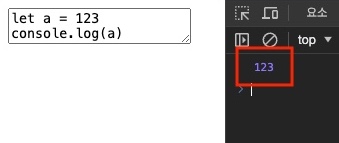
Here is an example that calls a function with the value entered in a <textarea> element.
12345678let text = '' const textareaEl = document.querySelector('textarea') textareaEl?.addEventListener('input', () => { text = textareaEl.value }) textareaEl?.addEventListener('change', event => { new Function(text)() })
# Factory functions
A factory function is a function that returns an object.
With factory functions, you can hide the detailed logic of creating objects, provide a simple interface to users (encapsulation), and make functions more reusable.
1234567891011121314const createUser = (full, birth) => ({ firstName: full.split(' ')[0], lastName: full.split(' ')[1], age: new Date().getFullYear() - birth, birth, greet() { return `Hello, My name is ${this.firstName}! I'm ${this.age}.` } }) const userA = createUser('Neo Anderson', 1985) console.log(userA.greet()) // 'Hello, My name is Heropy! I'm 38.' const userB = createUser('Amy Pond', 1916) console.log(userB.firstName) // 'Amy'
# Higher-order functions
A function that takes a function as an argument (a callback) or uses one as its return value is called a higher-order function.
Higher-order functions are a core concept of functional programming, and with them you can modularize logic and write code that aims for data immutability.
123456789101112// Modularization const add = (a, b) => a + b const sub = (a, b) => a - b const mul = (a, b) => a * b const div = (a, b) => a / b const calculate = (fn, a, b) => fn(a, b) console.log(calculate(add, 1, 2)) // 3 console.log(calculate(sub, 1, 2)) // -1 console.log(calculate(mul, 1, 2)) // 2 console.log(calculate(div, 1, 2)) // 0.5
Array methods such as .map() and .filter() are higher-order functions you will run into often.
Each of these methods returns a new array without directly changing the original data.
1234567891011const numbers = [1, 2, 3, 4, 5] // .map() const doubles = numbers.map(item => item * 2) console.log(doubles) // [2, 4, 6, 8, 10] console.log(numbers) // [1, 2, 3, 4, 5] // .filter() const evens = numbers.filter(item => item % 2 === 0) console.log(evens) // [2, 4] console.log(numbers) // [1, 2, 3, 4, 5]
Thanks for reading to the end.
Likes and kind comments help keep this blog going!