JS Async Core Patterns
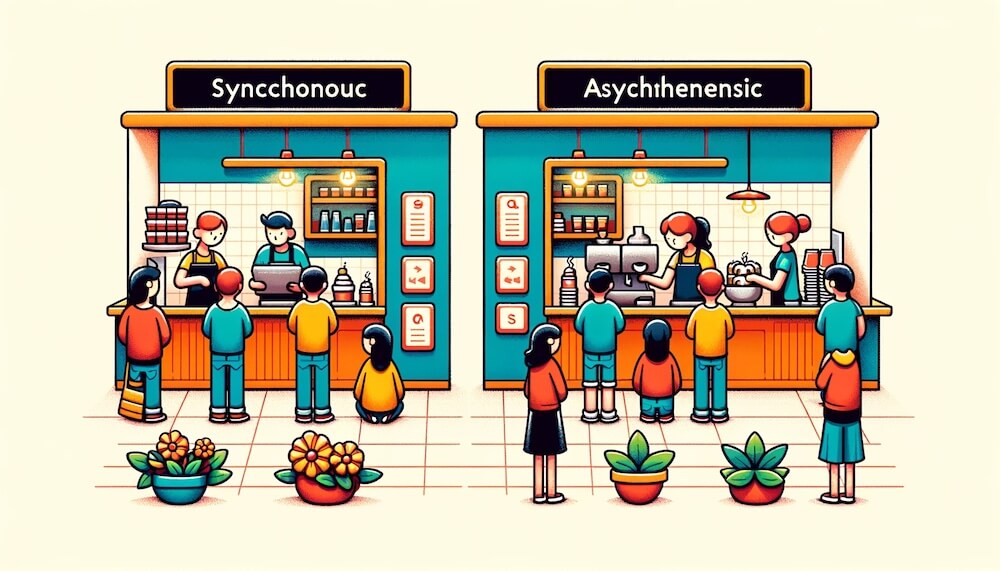
Learn the difference between code that runs synchronously and code that runs asynchronously, and explore several core patterns for writing asynchronous code.
# Synchronous and asynchronous
Synchronous means that while one task runs, the next task waits and does not run until that task is complete.
For the next task to run, the previous task must be complete.
In other words, tasks run serially.
In the following example, each line of code runs in order, and the previous code must finish before the next code runs.
123456console.log(1) ;(() => console.log(2))() console.log(3) // 1 // 2 // 3
Asynchronous means that the next task can run regardless of whether a task has completed.
Once the previous task has started, the next task can run even if the previous one hasn't completed.
In other words, tasks run in parallel.
In the following example, the setTimeout function runs second, but the next code runs and completes before it finishes.
123456console.log(1) setTimeout(() => console.log(2), 0) console.log(3) // 1 // 3 // 2
Let's look at a more concrete example.
The following function fetches movie information from a real server.
To get the movie information, it has to communicate with the server, and how long that takes varies every time depending on network speed, server status, and so on.
If this worked synchronously, no other code would run at all until the movie information arrived, so users might feel as if the system had frozen.
That's why code for network communication, in particular, is written to work asynchronously.
12345const getMovies = (title) => { return fetch(`https://omdbapi.com/?apikey=7035c60c&s=${title}`) .then(res => res.json()) .then(({ Search }) => console.log(Search)) }
Now, if you use the function above to write code like the following, the 'End!' message is printed first, before all the movie information is fetched.getMovies is an asynchronous function, so the next code can run after it starts but before it completes.
12345678console.log('Start!') getMovies('avengers') getMovies('frozen') console.log('End!') // 1. 'Start!' // 4. 'End!' // 3. Frozen[] // 2. Avengers[]
If you want to keep the order of synchronous execution, you can use a callback function, as follows, so that the callback runs after the movie information is fetched.
12345678const getMovies = (title, callback) => { return fetch(`https://omdbapi.com/?apikey=7035c60c&s=${title}`) .then(res => res.json()) .then(({ Search }) => { console.log(Search) callback() }) }
The callback passed to the getMovies function now runs after the movie information is fetched, so you can write the next task to run in order inside the callback function.
12345678910console.log('Start!') getMovies('avengers', () => { getMovies('frozen', () => { console.log('End!') }) }) // 1. 'Start!' // 2. Avengers[] // 3. Frozen[] // 4. 'End!'
The callback approach above also lets you run code in the order you want, but there are more modern approaches as well.
To use a modern approach, you first need to modify the getMovies function to use the Promise class, as follows.
12345678910const getMovies = (title) => { return new Promise(resolve => { fetch(`https://omdbapi.com/?apikey=7035c60c&s=${title}`) .then(res => res.json()) .then(({ Search }) => { console.log(Search) resolve() }) }) }
Now you can write the code more concisely and intuitively with the .then() method.
12345678console.log('Start!') getMovies('avengers') .then(() => getMovies('frozen')) .then(() => console.log('End!')) // 1. 'Start!' // 2. Avengers[] // 3. Frozen[] // 4. 'End!'
Instead of the .then() method, you can also use the async and await keywords to write it like synchronous code.
12345678910;(async () => { console.log('Start!') await getMovies('avengers') await getMovies('frozen') console.log('End!') })() // 1. 'Start!' // 2. Avengers[] // 3. Frozen[] // 4. 'End!'
# Asynchronous code patterns
Patterns for writing asynchronous code can be broadly divided into the callback pattern and the Promise pattern.
The Promise pattern is further divided into using the .then() method and using the async and await keywords.
# Callbacks
In the following example, a is a function that works asynchronously and prints the number 1 after 1 second (let's call it an 'async function' for short), and b and c are 'synchronous functions' that print the numbers 2 and 3.
The functions are called in order, but because a is an async function, execution can move on to the next function even though a hasn't completed.
So the results are printed in the order 2, 3, 1.
1234567891011121314const a = () => { setTimeout(() => { console.log(1) }, 1000) } const b = () => console.log(2) const c = () => console.log(3) a() b() c() // 2 // 3 // 1
If you want to print the results in the order 1, 2, 3, you can modify the a function to use a callback, as follows.
The callback function passed to the a function is called when all of its work is complete.
1234567891011121314const a = callback => { setTimeout(() => { console.log(1) callback() }, 1000) } a(() => { b() c() }) // 1 // 2 // 3
The callback approach is useful for handling asynchronous code like this, but if you nest functions many times to guarantee the order, the code easily becomes complex and hard to read.
The following example shows the kind of pattern you end up writing to run several async functions in sequence.
This code pattern, where callback functions are nested again and again and indented deeper and deeper, is called callback hell because it looks like an antlion pit.
123456789101112131415161718192021222324252627282930313233343536const a = callback => { setTimeout(() => { console.log(1) callback() }, 1000) // 1 second } const b = callback => { setTimeout(() => { console.log(2) callback() }, 700) // 0.7 seconds } const c = callback => { setTimeout(() => { console.log(3) callback() }, 3000) // 3 seconds } const d = callback => { setTimeout(() => { console.log(4) callback() }, 1200) // 1.2 seconds } // ... // Callback hell! a(() => { b(() => { c(() => { d(() => { // ... }) }) }) })
The following example fetches movie information in sequence with the callback pattern.
1234567891011121314151617181920const getMovies = (title, callback) => { fetch(`https://omdbapi.com/?apikey=7035c60c&s=${title}`) .then(res => res.json()) .then(({ Search }) => { callback(Search) }) } getMovies('frozen', movies => { console.log('1. Frozen:', movies) getMovies('avengers', movies => { console.log('2. Avengers:', movies) getMovies('avatar', movies => { console.log('3. Avatar:', movies) }) }) }) // 1. Frozen: Frozen[] // 2. Avengers: Avengers[] // 3. Avatar: Avatar[]
# .then()
To make up for the drawbacks of the callback pattern we just looked at, the Promise class was introduced in ES2015.
With the Promise class, you call the resolve method instead of a callback, which guarantees the point at which all the work is complete.
Now, when you call the function, you can chain the .then() method, and the callback of the .then() method runs when all the work is complete (where resolve is called).
123456789101112131415161718const a = () => { return new Promise(resolve => { setTimeout(() => { console.log(1) resolve() }, 1000) }) } const b = () => console.log(2) const c = () => console.log(3) a().then(() => { b() c() }) // 1 // 2 // 3
Here are the async functions that we ran in sequence earlier with the callback approach.
They have all been modified to use the Promise class, but the same pattern problem as callback hell still occurs.
1234567891011121314151617181920212223242526272829303132const a = () => { return new Promise(resolve => { setTimeout(() => { console.log(1) resolve() }, 1000) }) } const b = () => { return new Promise(resolve => { setTimeout(() => { console.log(2) resolve() }, 700) }) } const c = () => { return new Promise(resolve => { setTimeout(() => { console.log(3) resolve() }, 3000) }) } const d = () => { return new Promise(resolve => { setTimeout(() => { console.log(4) resolve() }, 1200) }) }
12345678910111213a().then(() => { b().then(() => { c().then(() => { d().then(() => { // ... }) }) }) }) // 1 // 2 // 3 // 4
The important point here is that if you return the result of each async function call (a promise instance) from .then(), you can chain .then() again.
1234567a() .then(() => b()) .then(() => c()) .then(() => d()) .then(() => { // ... })
Depending on the usage pattern, you can also get the same result by using the async functions themselves, as follows.
1234a() .then(b) .then(c) .then(d)
The following example fetches movie information in sequence using a function written with the Promise class and the .then() method.
12345678910111213141516171819202122const getMovies = (title) => { return new Promise(resolve => { fetch(`https://omdbapi.com/?apikey=7035c60c&s=${title}`) .then(res => res.json()) .then(({ Search }) => { resolve(Search) }) }) } getMovies('frozen') .then(movies => { console.log('1. Frozen:', movies) return getMovies('avengers') }) .then(movies => { console.log('2. Avengers:', movies) return getMovies('avatar') }) .then(movies => { console.log('3. Avatar:', movies) })
# async/await
The .then() approach is far more readable than the callback pattern, but it still keeps some of the callback structure.
With the async and await keywords introduced in ES2017, you can write asynchronous code more easily.
You can also write the following .then() pattern with the async and await keywords.
1234567a() .then(() => b()) .then(() => c()) .then(() => d()) .then(() => { // ... })
The await keyword waits for an async function to run and complete.
Note that you can use the await keyword only inside a function marked with the async keyword!
1234567;(async () => { await a() await b() await c() await d() // ... })()
The following example fetches movie information in sequence using a function written with the Promise class and the async and await keywords.
1234567891011121314151617181920const getMovies = (title) => { return new Promise(resolve => { fetch(`https://omdbapi.com/?apikey=7035c60c&s=${title}`) .then(res => res.json()) .then(({ Search }) => { resolve(Search) }) }) } ;(async () => { const frozen = await getMovies('frozen') console.log('1. Frozen:', movies) const avengers = await getMovies('avengers') console.log('2. Avengers:', avengers) const avatar = await getMovies('avatar') console.log('3. Avatar:', avatar) })()
You can also use the result returned from an async function call directly, without assigning it to a separate variable, as follows.
12345;(async () => { console.log('1. Frozen:', await getMovies('frozen')) console.log('2. Avengers:', await getMovies('avengers')) console.log('3. Avatar:', await getMovies('avatar')) })()
# Promise
When you call the Promise class as a constructor function, it returns a promise instance (promise) that wraps an async function.
You use this promise instance with the .then() method or the await keyword, and it has a state at each stage, from when the async function starts running until it completes.
- Pending: The promised operation has started, and the promise is waiting to be fulfilled or rejected.
- Fulfilled: The promised operation completed successfully, and the promise was kept.
- Rejected: The promised operation could not be completed, and the promise was rejected.
1234567function func(resolve, reject) { // ... Pending (..) if (error) reject(error) // Rejected (X) resolve(data) // Fulfilled (O) } const promise = new Promise(func)
The argument of the resolve(data) call (data) is passed to the callback parameter of the .then() method, or used as the return value of the await keyword.
The argument of the reject(error) call (error) is passed to the callback parameter of the .catch() method, or to the error variable of the catch block in a try/catch statement.
123456789promise .then(data => {}) // Or, promise .then(data => {}) .catch(error => {}) .finally(() => {})
123456789101112131415;(async () { const data = await promise })() // Or, ;(async () { try { const data = await promise } catch (error) { // } finally { // } })()
# Error handling
Sometimes you need to register what should happen when a problem occurs in asynchronous code (error handling).
In the following example, the delayAdd function takes number data and returns the result of adding 1 to it after 1 second.
However, if the number is greater than 10, it returns an error message instead of the result, and the done callback always runs.
The function takes a callback for each case and handles them: one for when the result is handled successfully (fulfilled), one for when it can't be handled (rejected), and one that always runs no matter what.
1234567891011const delayAdd = (num, success, failure, done) => { setTimeout(() => { if (num > 10) { failure(`${num} cannot be greater than 10.`) done() return } success(num + 1) done() }, 1000) }
12345678910111213141516171819// delayAdd(number, success, failure, final) delayAdd( 4, res => console.log(res), err => console.error(err), () => console.log('End!') ) // 5 // `End!` delayAdd( 92, res => console.log(res), err => console.error(err), () => console.log('End!') ) // '92 cannot be greater than 10.' // `End!`
Instead of callbacks, you can write the async function with the Promise class, as follows.
Use resolve instead of success, and reject instead of failure.
123456789101112const delayAdd = num => { return new Promise((resolve, reject) => { setTimeout(() => { if (num > 10) { reject(`${num} cannot be greater than 10.`) return } console.log(num) resolve(num + 1) }, 1000) }) }
Instead of done from the earlier callback pattern, you can use the .finally() method.
The .finally() method always runs, whether the promise is fulfilled or rejected.
1234delayAdd(11) .then(res => console.log(res)) // Success .catch(err => console.error(err)) // Failure .finally(() => console.log('End!')) // Final
With the async and await keywords, you can handle errors with a try/catch/finally statement.
12345678910;(async () => { try { const res = await delayAdd(11) console.log(res) } catch (err) { console.error(err) } finally { console.log('End!') } })()
You can modify the getMovies function from earlier, which fetches movie information, to use the Promise class, as follows.
If an error occurs while fetching the movie information (a network failure, an invalid search term, and so on), it calls reject, and if it succeeds, it calls resolve.
123456789101112131415const getMovies = title => { return new Promise((resolve, reject) => { fetch(`https://omdbapi.com/?apikey=7035c60c&s=${title}`) .then(res => res.json()) .then(json => { if (json.Response === 'False') { reject(json.Error) } resolve(json.Search) }) .catch(error => { reject(error) }) }) }
The following example uses the .then(), .catch(), and .finally() methods.
12345let loading = true getMovies('avengers') .then(movies => console.log('Movie list:', movies)) .catch(error => console.log('Error occurred:', error)) .finally(() => loading = false)
The following example uses the async and await keywords.
1234567891011let loading = true ;(async () => { try { const movies = await getMovies('avengers') console.log('Movie list:', movies) } catch (error) { console.log('Error occurred:', error) } finally { loading = false } })()
# Async handling in loops
When you call an async function repeatedly, you need to use a for loop (including of and in) so that the next task runs after the previous one completes.
Iteration methods such as .forEach() and .map() run regardless of whether the previous task has completed, so they are not suitable for calling async functions repeatedly.
1234567891011121314151617181920212223const getMovies = title => { return new Promise(resolve => { fetch(`https://omdbapi.com/?apikey=7035c60c&s=${title}`) .then(res => res.json()) .then(res => resolve(res)) }) } const titles = ['frozen', 'avengers', 'avatar'] // Wrong way! titles.forEach(async title => { const movies = await getMovies(title) console.log(title, movies) }) // Right way! ;(async () => { for (const title of titles) { const movies = await getMovies(title) console.log(title, movies) } })()
# Static methods
# Promise.all
Runs all the promises in the given array at the same time and waits until all of them are fulfilled.
However, if even one promise is rejected, all the promises are rejected together, with the reason (value) of the first rejection.
123456789101112const getMovies = (title) => { return new Promise((resolve, reject) => { if (!title) { reject('You must provide a search term!') } fetch(`https://omdbapi.com/?apikey=7035c60c&s=${title}`) .then(res => res.json()) .then(({ Search }) => { resolve(Search) }) }) }
12345678910111213141516171819202122const frozen = getMovies('frozen') const avengers = getMovies('avengers') const avatar = getMovies('avatar') Promise.all([frozen, avengers, avatar]) .then(res => { console.log(res) // [Frozen[], Avengers[], Avatar[]] }) .catch(err => { // Does not run! console.error(err) }) // Or, ;(async () => { try { const res = await Promise.all([frozen, avengers, avatar]) console.log(res) // [Frozen[], Avengers[], Avatar[]] } catch (err) { // Does not run! console.error(err) } })()
12345678910111213141516171819202122const frozen = getMovies('frozen') const avengers = getMovies() // A promise that gets rejected! const avatar = getMovies('avatar') Promise.all([frozen, avengers, avatar]) .then(res => { // Does not run! console.log(res) }) .catch(err => { console.error(err) // Error: You must provide a search term. }) // Or, ;(async () => { try { const res = await Promise.all([frozen, avengers, avatar]) console.log(res) // Does not run! } catch (err) { console.error(err) // Error: You must provide a search term. } })()
# Promise.allSettled
Runs all the promises in the given array at the same time and waits until all of them are fulfilled or rejected.
Unlike .all(), which we looked at earlier, all the promises complete even if some are rejected.
Then it returns the fulfilled/rejected status and the value of each promise.
12345type AllSettledResult = { status: 'fulfilled' | 'rejected' // Fulfilled or rejected status value?: any // Fulfilled value reason?: any // Rejection reason (value) }[]
12345678910111213141516171819202122232425const frozen = getMovies('frozen') const avengers = getMovies() // A promise that gets rejected! const avatar = getMovies('avatar') Promise.allSettled([frozen, avengers, avatar]) .then(res => { console.log(res) // [ // { status: 'fulfilled', value: Frozen[] }, // { status: 'rejected', reason: 'Please enter a search term.' }, // { status: 'fulfilled', value: Avatar[] } // ] }) // Or, ;(async () => { const res = await Promise.allSettled([frozen, avengers, avatar]) console.log(res) // [ // { status: 'fulfilled', value: Frozen[] }, // { status: 'rejected', reason: 'Please enter a search term.' }, // { status: 'fulfilled', value: Avatar[] } // ] })()
# Promise.race
Runs all the promises in the given array at the same time and returns only the one promise that is fulfilled or rejected first.
12345678910111213141516171819202122232425262728293031323334353637const getMovies = (title, delay = 0) => { return new Promise((resolve, reject) => { setTimeout(() => { if (!title) { reject('Please enter a search term.') } fetch(`https://omdbapi.com/?apikey=7035c60c&s=${title}`) .then(res => res.json()) .then(({ Search }) => { resolve(Search) }) }, delay) }) } const frozen = getMovies('frozen', 1000) // 1 second const avengers = getMovies(null, 3000) // 3 seconds, a promise that gets rejected! const avatar = getMovies('avatar', 2000) // 2 seconds Promise.race([frozen, avengers, avatar]) .then(res => { console.log(res) // Frozen[] }) .catch(err => { console.error(err) }) // Or, ;(async () => { try { const res = await Promise.race([frozen, avengers, avatar]) console.log(res) // Frozen[] } catch (err) { console.error(err) } })()
# Promise.any
Runs all the promises in the given array at the same time and returns only the one promise that is fulfilled first.
If at least one promise is fulfilled, the rejected promises are ignored.
If all the promises are rejected, it returns an AggregateError.
123456789101112131415161718192021222324252627282930const getMovies = (title, delay = 0) => { return new Promise((resolve, reject) => { setTimeout(() => { if (!title) { reject('Please enter a search term.') } fetch(`https://omdbapi.com/?apikey=7035c60c&s=${title}`) .then(res => res.json()) .then(({ Search }) => { resolve(Search) }) }, delay) }) } const frozen = getMovies('frozen', 2000) // 2 seconds const avengers = getMovies(null, 1000) // 1 second, a promise that gets rejected! const avatar = getMovies('avatar', 3000) // 3 seconds Promise.any([frozen, avengers, avatar]) .then(res => { console.log(res) // Frozen[] }) // Or, ;(async () => { const res = await Promise.any([frozen, avengers, avatar]) console.log(res) // Frozen[] })()
123456789101112131415const frozen = getMovies(null, 2000) // 2 seconds, a promise that gets rejected! const avengers = getMovies(null, 1000) // 1 second, a promise that gets rejected! const avatar = getMovies(null, 3000) // 3 seconds, a promise that gets rejected! Promise.any([frozen, avengers, avatar]) .then(res => { console.log(res) // AggregateError: All promises were rejected }) // Or, ;(async () => { const res = await Promise.any([frozen, avengers, avatar]) console.log(res) // AggregateError: All promises were rejected })()
# Promise.resolve
Returns a promise that is always fulfilled.
123456789101112131415const promise = Promise.resolve(123) promise .then((res) => console.log(res)) // 123 .catch((err) => console.log(err)) // Does not run! // Or, ;(async () => { try { console.log(await promise) // 123 } catch (err) { console.log(err) // Does not run! } })()
# Promise.reject
Returns a promise that is always rejected.
123456789101112131415const promise = Promise.reject('Rejected!') promise .then((res) => console.log(res)) // Does not run! .catch((err) => console.log(err)) // 'Rejected!' // Or, ;(async () => { try { console.log(await promise) // Does not run! } catch (err) { console.log(err) // 'Rejected!' } })()
# Image loading example
This example shows a loading animation while it requests and fetches an image, before displaying the image on the screen.
When the load event fires on the in-memory image element, the loading animation is removed and the image is displayed on the screen.
1234567891011121314151617<style> .loader { width: 40px; height: 40px; border: 4px solid royalblue; border-top-color: transparent; border-radius: 50%; animation: loader 1s infinite linear; } @keyframes loader { 0% { transform: rotate(0deg); } 100% { transform: rotate(360deg); } } </style> <div id="image"> <div class="loader"></div> </div>
123456789101112131415function loadImage(src) { return new Promise((resolve, reject) => { const img = new Image() img.src = src img.addEventListener('load', () => resolve(img)) img.addEventListener('error', () => reject(new Error(`Failed to load the image: ${src}`))) }) } ;(async () => { const imgEl = await loadImage('https://picsum.photos/2000') const imgContainerEl = document.querySelector('#image') imgContainerEl.innerHTML = '' imgContainerEl.append(imgEl) })()
Thanks for reading to the end.
Likes and kind comments help keep this blog going!